
This article expands on my LinkedIn post. Follow me there for shorter, day-to-day notes.
Most developers meet AI coding tools through a simple loop: type a prompt, get some code, paste it in, move on. It feels magical for a day or two. Then the cracks appear. The code compiles but breaks an edge case. A function duplicates logic that already exists three folders away. Tests are missing. Security is an afterthought. The AI did exactly what you asked, and that is the problem.
Over the last year I have moved my own work away from "prompt → code → done" and towards a structured workflow built on Claude Code plugins. In this guide I'll explain what those plugins are, the specific plugins I use for each stage of development, how a CLAUDE.md file holds the whole system together, and why the goal is not to install fifty plugins but to build a small, disciplined AI engineering team.
If you run a business website, a WooCommerce store or a SaaS product, this matters to you too: it is the difference between AI that ships fast and AI that ships reliably.
What is Claude Code, and why plugins change everything
Claude Code is Anthropic's command-line coding agent. Instead of chatting in a browser, you work with Claude directly inside your project folder and terminal. It can read your files, search your codebase, run commands, execute tests and make edits across many files at once. That alone makes it far more capable than copy-pasting snippets from a chat window.
But a general-purpose agent still has a general-purpose mindset. Ask it to "add a checkout discount feature" and it will try to do everything in one pass: guess the requirements, pick an architecture, write the code and declare victory. Sometimes that works. On a real codebase with real customers, it often doesn't.
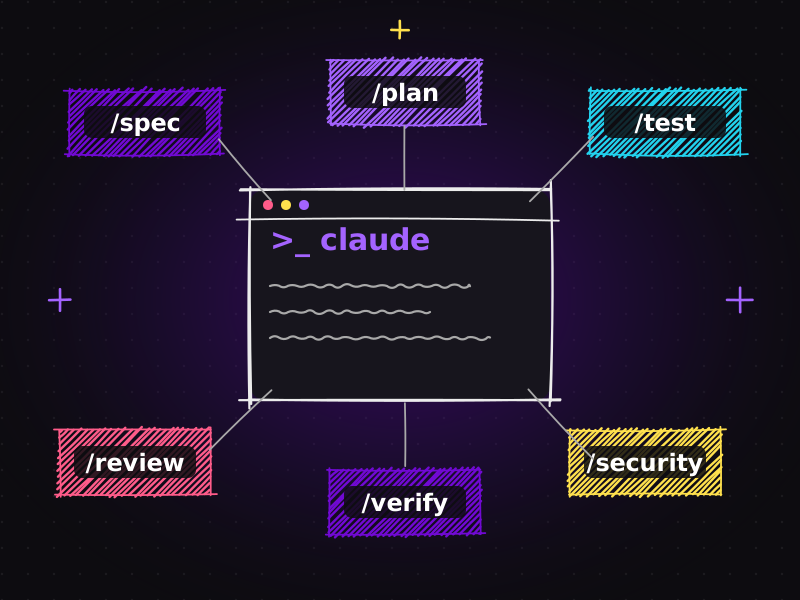
Plugins change the shape of the work. Think of a plugin as a specialist skill you hand to Claude. Each one packages instructions, slash commands, and sometimes sub-agents and hooks focused on a single job. Instead of one AI that does everything moderately well, you get a set of focused specialists:
- one that plans features,
- one that turns vague ideas into clear specifications,
- one that reviews code quality,
- one that guards your test coverage,
- one that refuses to call work "done" until it has been verified,
- and one that looks at security.
That is exactly how a good human engineering team works. Nobody expects the same person to gather requirements, design the architecture, write the code, test it, review it and audit it, at least not all at once and not without checklists.
The problem with "prompt → code → done"
Before looking at the plugins themselves, it's worth being honest about why the naive workflow fails. In my experience building WordPress sites, WooCommerce stores and custom web applications for more than eight years, most production bugs don't come from the code that was written. They come from things that were skipped:
| Unclear requirements | The feature does what the prompt said, not what the client meant. |
|---|---|
| No architecture decision | New code ignores existing patterns, so the codebase slowly becomes inconsistent. |
| Missing tests | The happy path works; the empty cart, the expired coupon and the slow network do not. |
| No verification | Linting errors, type errors or a failing build are discovered later, by someone else. |
| No review | Duplicated logic and confusing names creep in. |
| No security pass | Inputs are trusted, secrets leak into logs, permissions are too broad. |
An AI assistant makes all of this faster, which means it can also make the mistakes faster. The fix is not a smarter prompt. The fix is a better process, and plugins let you build that process directly into your tools.
My Claude Code plugin stack, stage by stage
Here is the set of plugins I described in my LinkedIn post, organised by the stage of development they cover. The exact names may evolve as the plugin ecosystem grows, but the roles are what matter.
1. Architecture and feature planning: /feature-dev
/feature-dev helps plan and implement features in a structured way. Instead of jumping straight into code, it walks through understanding the existing codebase, identifying where the feature belongs, considering alternatives and only then implementing.
Why it matters: Most "AI spaghetti" comes from code that was written without looking at the surrounding architecture. A planning step forces Claude to read before it writes, and gives you a moment to correct the direction before a single file changes.
2. Requirements → specification → implementation: /spec-kit
/spec-kit turns an idea or requirement into a clear specification before coding. You describe what you want in plain language; the output is a written spec with scope, acceptance criteria and open questions.
Why it matters: A specification is a contract. It's much cheaper to fix a misunderstanding in a paragraph of text than in three hundred lines of code. For client projects, I often share the spec with the client before implementation starts. It is the single best way to avoid "that's not what I asked for".
3. Clean code and review: /code-review-agent
/code-review-agent reviews code for quality, structure, duplication and maintainability. It acts like a senior developer reading your pull request with fresh eyes.
Why it matters: AI-generated code is often plausible rather than good. A dedicated review pass catches duplicated helpers, overly clever logic, missing error handling and naming that will confuse you in six months.
4. Testing: /test-guardian
/test-guardian helps make sure changes are properly tested: new behaviour has tests, and existing tests still pass.
Why it matters: Tests are the safety net that lets you move fast later. When an AI agent changes ten files in one go, tests are how you know nothing else broke.
5. Verification: /verify-before-review
/verify-before-review encourages Claude to run tests, linting, type checks and builds before calling the work complete.
Why it matters: This is my favourite rule in the whole stack. An agent that says "Done!" while the build is red is worse than useless, because it erodes trust. Making verification a non-negotiable step means "done" actually means done.
6. Security: /security-guidance and /claude-security
/security-guidance helps identify common security problems while you develop, such as unsanitised input, unsafe file handling or exposed secrets. /claude-security provides a deeper security assessment of the whole project when you need it.
Why it matters: Security is easiest when it is continuous. A light check during development plus a deeper audit before release is the same pattern good teams use with human reviewers. For WordPress and WooCommerce work, where plugins and user input are everywhere, this is not optional.
7. End-to-end browser testing: /playwright
/playwright helps test real user flows in the browser: logging in, filling a form, adding a product to the cart and completing checkout.
Why it matters: Unit tests prove functions work; end-to-end tests prove the website works. For e-commerce stores and lead-generation sites, the user journey is the product.
From a single prompt to a real development workflow
Put those plugins together and the workflow changes completely. Instead of:
Prompt → Code → Done
you build something like:
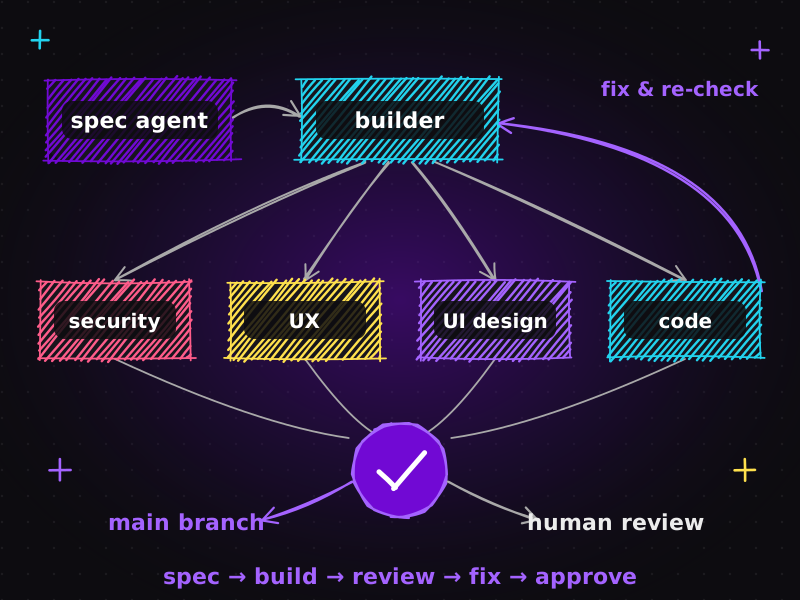
Requirements → Architecture → Code → Tests → Verification → Review → Security → Cleanup
Each arrow is a checkpoint where either Claude or you can stop and correct course. This makes Claude Code behave much more like an AI development team than a single AI programmer.
In practice, a typical feature in my workflow looks like this:
- Spec: I describe the feature;
/spec-kitproduces a short specification with acceptance criteria. I edit it until it is right. - Plan:
/feature-devmaps the spec onto the existing codebase and proposes where changes belong. - Build: Claude implements the plan, file by file.
- Test:
/test-guardianadds or updates tests for the new behaviour. - Verify:
/verify-before-reviewruns the test suite, linter, type checker and build. Anything red gets fixed before moving on. - Review:
/code-review-agentreviews the diff for duplication and maintainability. - Secure:
/security-guidancechecks the change; before a release,/claude-securitydoes a deeper pass. - Browser check:
/playwrightruns the critical user flows. - Cleanup: remove dead code, update docs, and commit with a clear message.
It sounds like a lot of steps. In reality most of them run in minutes, and they replace hours of manual checking or, worse, hours of debugging in production.
CLAUDE.md: the rulebook that holds the team together
Plugins give Claude specialist skills. A CLAUDE.md file gives it your project's permanent rules. It's a plain Markdown file in the root of your repository that Claude Code reads at the start of every session.
Your CLAUDE.md can contain:
| Engineering rules | "never edit generated files", "all database access goes through the repository layer". |
|---|---|
| Architecture principles | How the project is structured and why. |
| Coding standards | Naming, formatting, preferred libraries, patterns to avoid. |
| Testing requirements | Which test runner, what coverage you expect, how to run the suite. |
| Security rules | How secrets are handled, what must never be logged, which inputs must be validated. |
| Conventions | Commit message format, branch naming, how to add a new page or API route. |
Without it, every session starts from zero and Claude has to guess your preferences. With it, Claude doesn't just generate code. It works within the rules of your project. That is the difference between a talented freelancer on their first day and a teammate who knows how things are done here.
A tip from experience: keep CLAUDE.md short and specific. A hundred precise lines beat a thousand vague ones. Update it whenever you catch yourself correcting the same mistake twice.
The goal isn't 50 plugins
It is tempting, once you discover plugins, to install everything. Resist that. Every plugin adds instructions, and too many overlapping instructions create noise, slower sessions and conflicting advice.
The goal is a small, disciplined development system where each tool has a clear purpose. For most projects, the eight roles above are plenty: plan, specify, build, test, verify, review, secure, and test in the browser. Add a plugin only when you can name the specific problem it solves in your workflow.
This is also where AI-assisted development becomes genuinely reliable and scalable. Reliability comes from repeatable checkpoints. Scalability comes from the fact that the same system works on your fifth project as well as your first, and on a teammate's machine as well as yours, because the rules live in the repository.
How this applies to WordPress, WooCommerce and client websites
You might be thinking: this sounds like a workflow for software companies, not for a business website. In fact, it is exactly how I now approach website development for clients:
- Custom WordPress themes and plugins get a spec, a plan and tests before they touch a live site.
- WooCommerce customisations such as checkout fields, shipping rules and discount logic are verified with browser tests that walk through a real purchase.
- Performance and SEO work benefits from automated checks, so technical SEO improvements don't silently break layouts.
- Security reviews catch the classic WordPress risks: unsanitised form input, unescaped output and over-permissive capabilities.
The result for clients is simple: faster delivery without the "AI shortcut" quality problems. You can see the kind of sites this produces in my portfolio, and if you want the full checklist I run before launch, read my on-page SEO checklist for new WordPress sites.
Common mistakes when setting up Claude Code plugins
A few lessons learned the hard way:
| Skipping the spec on "small" features | Small features are where wrong assumptions hide. A three-line spec takes a minute. |
|---|---|
| Letting the agent mark its own homework | Always make verification and review separate steps from implementation. |
| No CLAUDE.md, or an outdated one | Stale rules are worse than none. Treat it like code: review and update it. |
| Running security only at the end | Continuous light checks catch issues while they're cheap to fix. |
| Over-automating decisions | Plugins should prepare decisions for you, not make architecture or business decisions on your behalf. |
Where this is heading
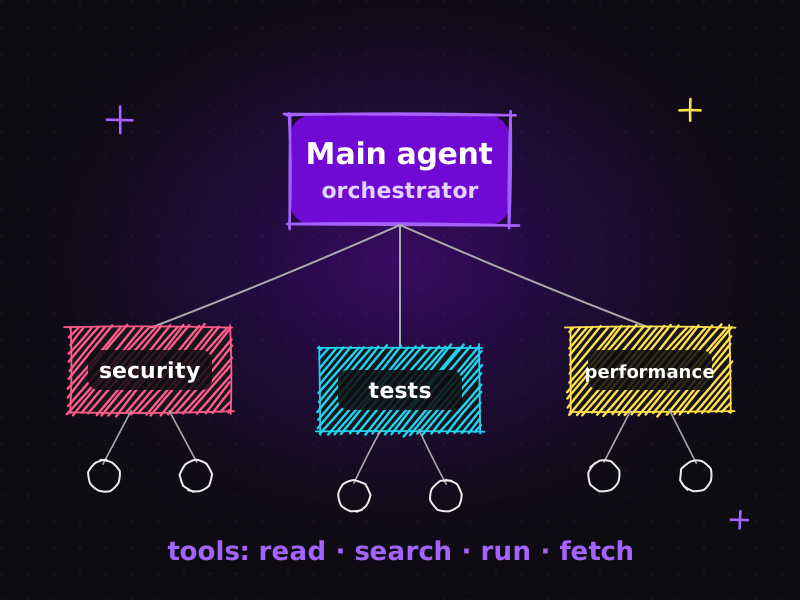
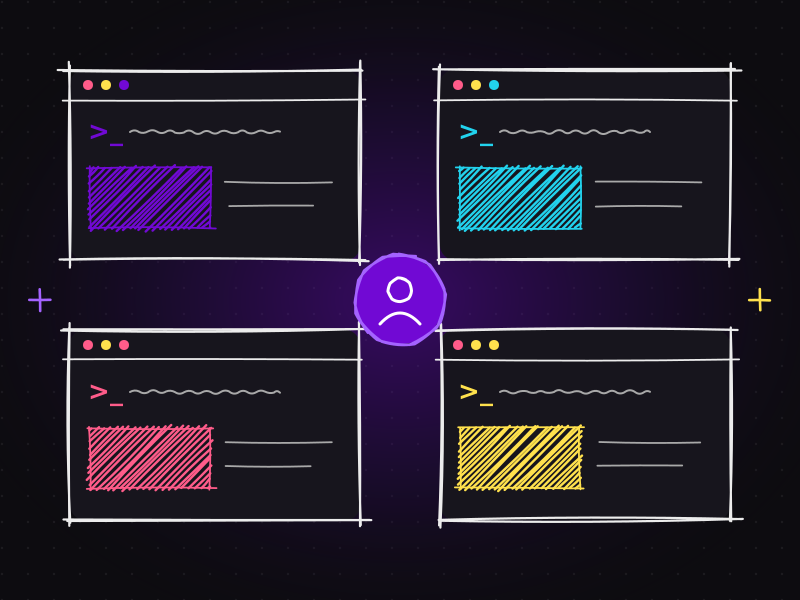
We are moving from AI that writes code to AI that participates in the whole engineering process. Plugins are one half of that shift; the other half is agents that coordinate other agents, a topic I unpack in AI agents explained: main agent, sub-agents, tools and workflows. If you're curious how I run several of these workflows at once, see how I run multiple Claude projects in parallel, and for connecting this to project management tools, read from Jira issue to working feature with MCP.
The developers who benefit most won't be the ones with the cleverest prompts. They'll be the ones with the best systems.
Frequently asked questions
What are Claude Code plugins?
Claude Code plugins are installable packages that add specialist capabilities to Claude Code, such as slash commands, sub-agents and hooks. Each plugin focuses on a job like feature planning, code review, testing, verification or security, so Claude follows a structured workflow instead of a single prompt-and-code step.
Do I need many plugins to get good results?
No. The goal is a small, disciplined set where every plugin has a clear purpose. For most projects, plugins covering planning, specification, testing, verification, review, security and browser testing are enough. Too many overlapping plugins add noise and conflicting instructions.
What should I put in a CLAUDE.md file?
Put your project's permanent rules in CLAUDE.md: architecture principles, coding standards, testing requirements, security rules and conventions such as commit format. Keep it short and specific, and update it whenever you find yourself correcting the same mistake twice.
Can this workflow be used for WordPress and WooCommerce projects?
Yes. Specs, planning, automated tests, verification, security checks and Playwright browser tests all apply to custom WordPress themes, plugins and WooCommerce customisations. It makes delivery faster while reducing the quality and security risks of AI-generated code.
Does AI replace developers in this workflow?
No. Humans still own requirements, architecture decisions and final quality. The plugins make the AI a disciplined team member that prepares, checks and documents work, so the developer spends more time on decisions and less on repetitive checks.
Want a website built with this kind of disciplined, AI-assisted workflow? Get in touch or view my pricing. I'm happy to talk through your project.

Muhammad Faisal
WordPress developer & SEO expert with 8+ years of experience, now building AI-assisted development workflows with Claude Code, MCP and coding agents. More about me.