
This article expands on my LinkedIn post. Follow me there for shorter, day-to-day notes.
The first time you hand a real feature to an AI coding agent, it feels like magic. You describe what you want, the agent reads your files, writes the code, runs a command or two and reports back: done. The second or third time, you start to notice the gaps. The agent planned, built and judged its own work in a single pass. Nobody questioned the requirement. Nobody looked at the change with security in mind. Nobody asked whether the new screen was actually easy to use.
That is the problem a software factory solves. In my latest LinkedIn post I described a Claude Code software factory: a structured way to use multiple AI agents to plan, build, review and improve software. Instead of relying on one AI agent to handle everything, each responsibility goes to a specialised agent, and every change has to pass clear checkpoints before it is accepted.
In this article I'll expand that idea into a practical guide: what a software factory is, how each stage works, what it improves, where it can go wrong and how you can start with a small version on your own projects. Whether you build WordPress sites, WooCommerce stores, mobile apps or SaaS products, the principle is the same: more structure, not just more AI.
What is a Claude Code software factory?
A software factory is a development workflow in which several AI agents work like a small engineering team. Each agent has one defined responsibility, its own instructions and only the permissions it needs. Work moves through the team in a fixed order, the way a feature moves through planning, development, code review and release in a well-run company.
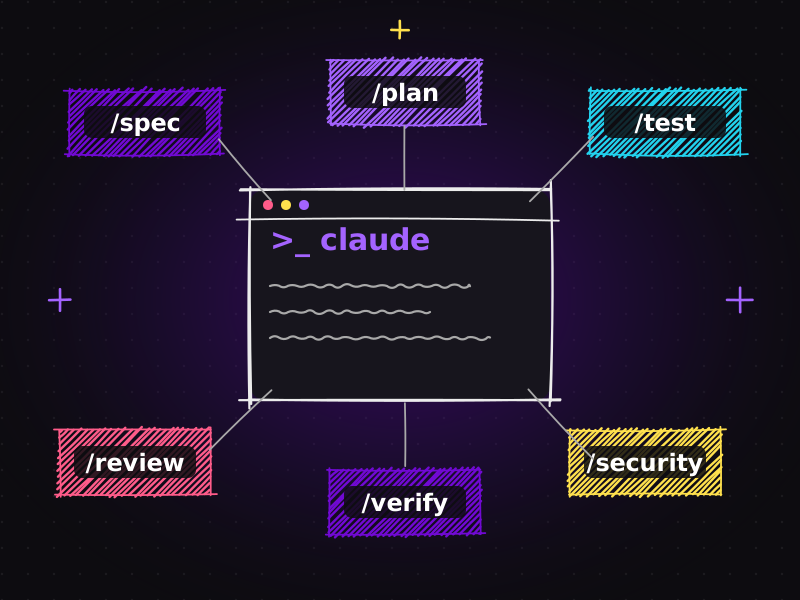
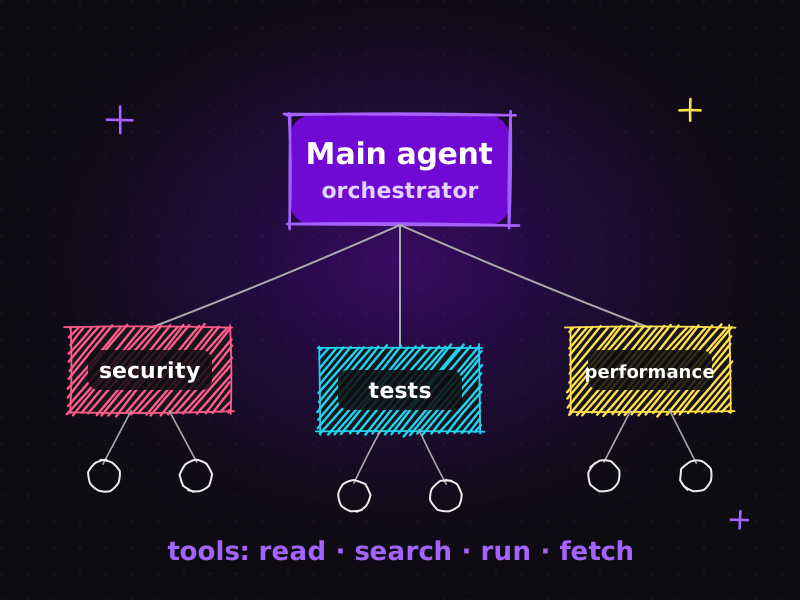
Claude Code makes this practical. It is Anthropic's coding agent that works directly in your project folder and terminal, and it can delegate tasks to sub-agents: specialised assistants defined with their own instructions and tool access. You describe a "security reviewer" or a "UX reviewer" once, keep the definition in the repository and call on it for every feature.
The word factory is deliberate. A factory is not about one brilliant worker; it is about a repeatable process with quality control at every station. Applied to software, that gives you:
- one agent that plans,
- one agent that builds,
- several agents that review independently,
- a controlled loop for improvements,
- and one agent that approves or escalates to a human.
Why one AI agent is not enough
A single general-purpose agent can do a surprising amount. But when the same agent plans, writes and checks its own work, the same problems appear again and again:
| It marks its own homework | The agent that wrote the code is the least likely to spot what it missed, because it reviews the change with the same assumptions it used to write it. |
|---|---|
| Its attention is split | Holding the requirement, the architecture, the security rules, the design system and the test plan in mind at once is hard, for an AI as much as for a person. |
| Blind spots repeat | If the agent tends to skip input validation or accessibility, it will skip them on every feature. |
| Results vary | Without a fixed process, two similar features can be built and checked in completely different ways. |
Splitting the work does not make any single model smarter. It makes the process better: every change gets several focused perspectives instead of one overloaded one.
How the software factory works, stage by stage
1. Feature planning: the specification agent
Everything starts with a requirement: a client request, a Jira issue, a bug report or an idea. A specification agent analyses the requirement and prepares a development plan before any code is written.
A good specification covers the goal of the change, its scope (and what is out of scope), acceptance criteria that can be tested, the files and components likely to be affected, the risks, and any open questions a human needs to answer.
This is the cheapest place to catch mistakes. Correcting a misunderstanding in a one-page plan takes minutes; correcting it after the builder has changed twenty files takes hours. On client projects, this is also the right moment to share the plan with the client. It is the same discipline I described in Claude Code plugins as an AI engineering team, where a specification always comes before code.
2. Development: the builder agent
Once the plan is approved, a builder agent implements the feature according to the specification. The builder follows the project's rules in CLAUDE.md (architecture, coding standards, testing requirements), writes or updates tests, and runs the checks the project defines: tests, linting, type checks and a build.
The builder's job is narrow on purpose. It is not asked to judge whether the feature is a good idea or whether the design is beautiful. It is asked to deliver exactly what the specification describes, in a way that passes the project's checks.
3. Parallel reviews: four specialist agents
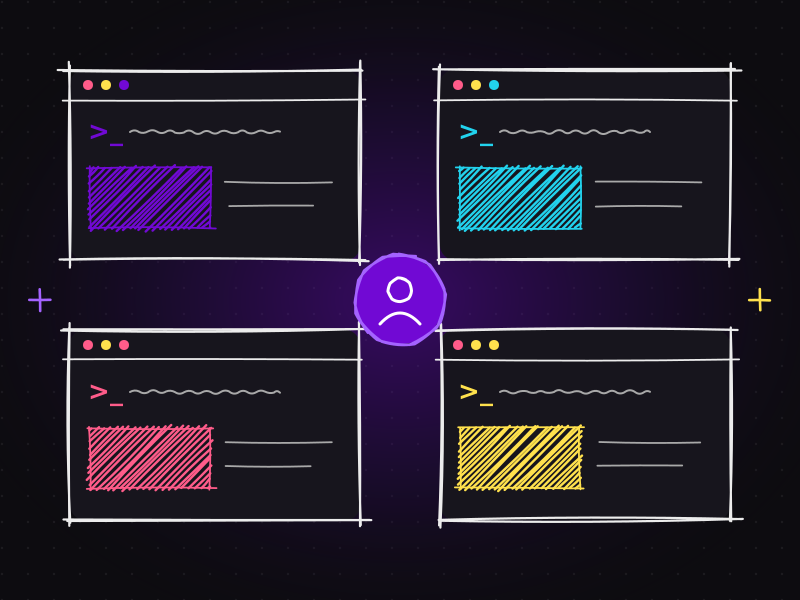
This is the heart of the factory. Instead of one review, four specialist agents review the change independently and at the same time:
| Security reviewer | Checks input validation, authentication and permissions, exposed secrets, unsafe file handling and risky dependencies. |
|---|---|
| User experience reviewer | Checks the user journey: clear flows, helpful error messages, accessibility basics and edge cases such as empty states. |
| UI design reviewer | Checks consistency with the design system: spacing, typography, colours, components and responsive behaviour. |
| Code quality reviewer | Checks structure, duplication, naming, readability, test coverage and long-term maintainability. |
Because each reviewer has a single focus, its feedback is sharper. Because the reviews run in parallel, they take roughly as long as the slowest reviewer rather than all four added together. And because they are independent, one reviewer's assumptions cannot hide another reviewer's findings.
4. Improvements: fixing feedback within a review limit
The builder receives the combined feedback and fixes the issues. Then the relevant reviewers check again.
The important detail is the review limit. Without one, a builder and a reviewer can loop forever, each fix triggering a new comment. A factory defines how many rounds are allowed, for example two. If problems remain after the final round, the change stops cycling and moves on to the approver with the open issues clearly listed.
5. Final approval: proceed or escalate
Finally, an approver agent evaluates the result against the specification and the review findings. Did the change meet every acceptance criterion? Do the tests and checks pass? Were all serious findings resolved?
There are two possible outcomes:
| Proceed | The change is ready to move towards the main branch. |
|---|---|
| Escalate | The change needs a human decision: an unresolved risk, a disagreement between reviewers, an architectural change, or anything that touches sensitive areas such as payments or personal data. |
I recommend keeping a human merge step even when the approver says "proceed". The approver's job is to make that decision quick and well-informed, not to remove the human from it.
The workflow at a glance
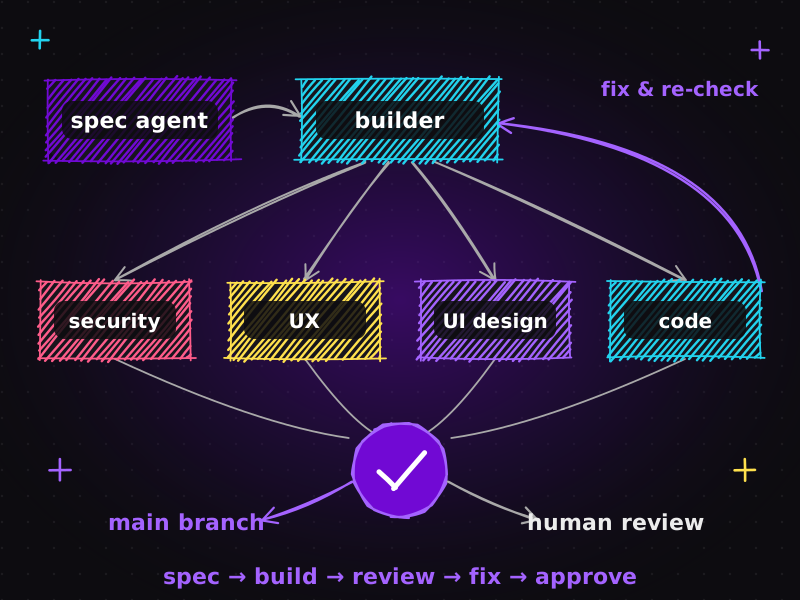
Requirement → Specification agent → Builder agent → Four parallel reviews → Builder fixes (within the review limit) → Approver agent → Main branch or human review
Each arrow is a checkpoint. At every checkpoint, either an agent or a person can stop the line and correct course, which is exactly how quality control works on a real factory floor.
The benefits
When the factory is set up well, the benefits are practical:
| Clear responsibilities | Every agent knows its job, so nothing important depends on one agent remembering everything. |
|---|---|
| Better code quality | Independent reviews catch problems the builder could not see in its own work. |
| Earlier detection | Security and usability issues are found before release, when they are cheapest to fix. |
| Consistent standards | Every feature passes the same checks, whatever its size and whoever requested it. |
| Repeatable workflows | The same pipeline works for different features and different projects. |
| More time for decisions | Less manual coordination leaves more time for architecture and product decisions. |
Overall, this approach makes software development more structured, scalable and consistent. It reduces repetitive work, improves review coverage and helps developers manage complex projects more efficiently.
What it takes to make it work
There is an important warning in my original post: multiple agents do not automatically guarantee better software. A badly designed factory simply produces mistakes faster and with more confidence. The results depend on four foundations:
| Clear instructions | Each agent needs a precise role, a checklist and a definition of done. Vague roles produce vague reviews. |
|---|---|
| Reliable tests | The factory is only as trustworthy as its tests. If the test suite is weak, "all checks passed" means very little. |
| Controlled permissions | Reviewers read and comment instead of rewriting code, the builder cannot deploy, and no agent touches production secrets. |
| Human oversight | People own the requirements, the architecture, the trade-offs and the final decision to ship. |
The real value is not simply adding more AI agents. It is building a workflow where each agent has a defined responsibility and every change is properly verified.
How to set up a simple software factory with Claude Code
You don't need a large system to start. Here is the order I recommend:
- Write your project rules first. Put architecture principles, coding standards, testing requirements and security rules in
CLAUDE.md. Every agent works within these rules. - Define a small set of agents. Start with four roles: specification, builder, one combined reviewer and approver. Keep each definition short, with one responsibility and a checklist.
- Limit each agent's tools. Reviewers get read access and can run tests; the builder can edit the project; nobody gets deployment rights.
- Make the checks a gate. Tests, linting, type checks and a successful build must pass before any review starts.
- Set a review limit. Two improvement rounds is a sensible default; after that, unresolved issues go to a human.
- Write down the approval rules. Define what "ready" means, and which changes always need a person: payments, authentication, personal data and database migrations.
- Work on branches. Every change lives on its own branch (or Git worktree) and reaches the main branch only through review.
- Split the reviewer later. Once the basics work, split the single reviewer into security, UX, UI and code reviewers running in parallel.
If you want to understand the building blocks behind this, read AI agents explained: main agent, sub-agents, tools and workflows. To feed the factory straight from your issue tracker, see from Jira issue to working feature with Atlassian MCP.
Common mistakes to avoid
| Too many agents too soon | Ten agents with overlapping roles create noise and conflicting advice. Start small, and add a role only when you can name the problem it solves. |
|---|---|
| Reviewers that can rewrite code | A reviewer that silently "fixes" things becomes a second builder, and nobody reviews its changes. |
| No review limit | Endless improvement loops waste time and money without improving the result. |
| Weak tests | Agents are very good at making weak tests pass. Invest in meaningful tests first. |
| Automatic merges to the main branch | Keep a human merge step, at least until the factory has a long, proven track record on your project. |
| Skipping the specification | The builder can only be as accurate as the plan it receives. |
What this means for websites, apps and client projects
This is not only for large software companies. The same thinking applies directly to client work:
| Custom website development | Features such as booking forms, membership areas or custom dashboards get a specification, an implementation and independent security and UX checks before launch. See my website development services. |
|---|---|
| E-commerce stores | Checkout changes, discount logic and payment flows are exactly where a separate security review and a human escalation rule pay for themselves. |
| App development | Mobile and web apps benefit from dedicated UI design and UX reviewers, because keeping many screens consistent by hand is hard. See app development. |
| AI automation projects | The same factory approach applies when building chatbots and automations, as described on my AI services page. |
For clients, the outcome is simple: faster delivery without the quality problems people associate with "AI-generated code". You can see examples of my work in the portfolio.
Where this is heading
AI-assisted development is moving from one assistant that writes code to coordinated teams of agents that move work through a process. The bottleneck shifts from writing code to designing the workflow: deciding which roles exist, what each one checks and where humans must stay in control. I explore that shift in from AI-assisted coding to AI engineering, and in running multiple Claude projects in parallel, where one developer coordinates several workflows at once.
The teams that benefit most will not be the ones with the most agents. They will be the ones with the clearest responsibilities and the most reliable verification.
Frequently asked questions
What is a software factory in AI development?
A software factory is a structured workflow where several AI agents share the work of building software. A specification agent plans, a builder implements, specialist reviewers check security, user experience, UI design and code quality, and an approver decides whether the change can proceed or needs human review.
How is a software factory different from using one AI coding agent?
One agent plans, writes and checks its own work, so its blind spots repeat. A software factory separates those responsibilities, adds independent reviews and requires verification at each checkpoint, which makes the results more consistent and easier to trust.
Do more AI agents always produce better software?
No. More agents only help when each one has a clear role, the tests are reliable, permissions are controlled and humans oversee the important decisions. Without those foundations, extra agents add noise and cost rather than quality.
Can I build a software factory with Claude Code?
Yes. Claude Code can delegate work to sub-agents with their own instructions and tool permissions, and a CLAUDE.md file holds the project rules every agent follows. Start with a specification agent, a builder, one reviewer and an approver, then add specialist reviewers once the workflow is stable.
Is this approach useful for WordPress sites and small business projects?
Yes. The same stages apply to custom WordPress themes and plugins, WooCommerce changes, mobile apps and AI automations. Even a small version (a written plan, automated checks, an independent review and a human approval step) noticeably reduces bugs and security issues.
Planning a website, app or AI project and want it built with a disciplined, AI-assisted workflow? Get in touch or explore my AI services.

Muhammad Faisal
WordPress developer & SEO expert with 8+ years of experience, now building AI-assisted development workflows with Claude Code, MCP and coding agents. More about me.