
This article expands on my LinkedIn post. Follow me there for shorter, day-to-day notes.
For most of my career, development has been a single-threaded activity. Open project A, work on it, close it, open project B. With AI coding assistants, that pattern got faster, but it didn't change shape. I would give Claude a task, then wait. Watch the terminal. Switch to email. Come back. Review. Start the next task.
Recently I've been experimenting with running multiple Claude projects simultaneously through a tool called Abralo, and it has changed the way I think about AI-assisted development. Instead of one task at a time, I can run several independent Claude sessions side by side, each with its own working context, files and terminal activity.
This article explains what that looks like in practice, why the real benefit is not simply speed, and what it means for freelancers and agencies managing several websites, SaaS products or client projects at once.
The hidden bottleneck in AI-assisted development
When people talk about AI coding productivity, they usually talk about how fast the model writes code. That's real, but it hides a different bottleneck: waiting.
A meaningful development task for an AI agent, like implementing a feature, running a test suite, refactoring a module or doing a security review, can take several minutes. During those minutes, a developer working on a single project has three options:
- Watch the agent work. Low value, and surprisingly tiring.
- Switch to something unrelated. Email, messages, admin. Then pay the cost of switching back.
- Interrupt the agent with more instructions. Often makes things worse.
None of these use the developer's most valuable skills: judgment, planning, reviewing and making decisions. The AI is fast, but the human is idle or, worse, fragmented.
What running Claude projects in parallel looks like
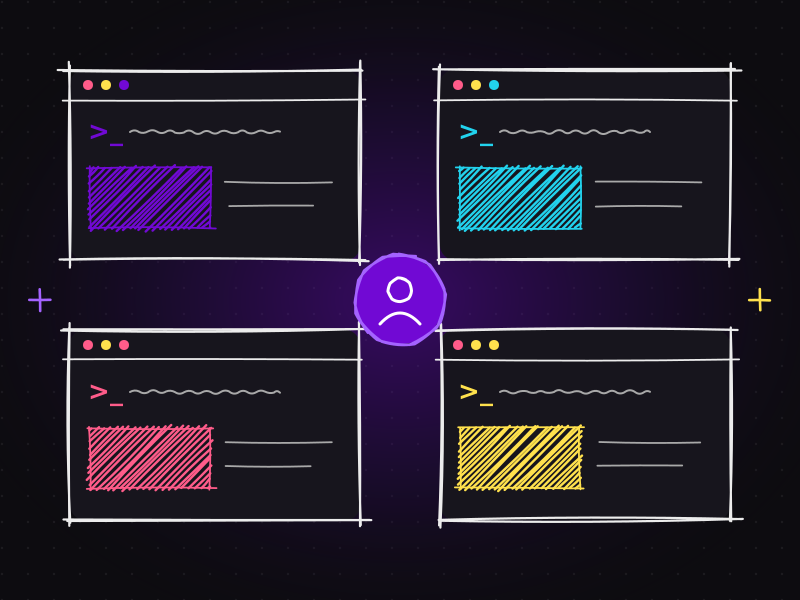
With Abralo, my setup looks more like a control room than a single terminal. Each client or product has its own independent Claude session:
- one session implementing a new feature on a WooCommerce store,
- another running tests and verification on a SaaS project,
- a third auditing the technical SEO of a client website,
- a fourth drafting documentation or a specification for an upcoming feature.
Each session keeps its own working context: its own files, conversation history and terminal output. Nothing leaks between projects. When I switch my attention to a session, everything is exactly where that project left it.
In practice, that means I can:
- ✅ Start a long-running development task and leave it working.
- ✅ Move to another project while Claude continues in the background.
- ✅ Run testing and verification in another session without blocking new work.
- ✅ Review outputs from multiple projects at the same time.
- ✅ Keep completely different project contexts separated, so instructions for one client never confuse another.
- ✅ Use my Claude account much more like an AI development workspace than a single chat.
The real advantage isn't multitasking
It would be easy to describe this as "doing more things at once". But humans are bad at multitasking, and I'm not suggesting anyone should try to type into four terminals simultaneously.
The bigger advantage is parallel execution without constantly switching your mental context. The agents execute in parallel; I don't. My attention moves deliberately from one project to the next at natural checkpoints: when a plan is ready for approval, when tests finish, when a review needs a decision.
That changes the workflow from:
One task → wait → next task
to:
Multiple tasks → parallel execution → review → iterate
And it creates a simple, repeatable loop:
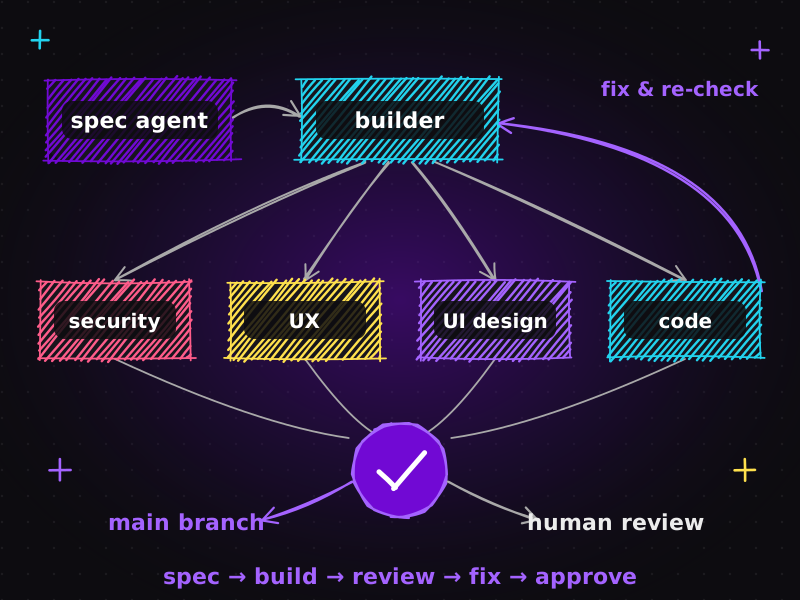
Human defines tasks → multiple Claude agents work in parallel → human reviews and approves → next tasks continue
Your time becomes the coordination layer
The edge I'm seeing isn't simply that "Claude works faster". It's that my time becomes the coordination layer rather than the execution bottleneck.
Instead of spending time waiting for an AI to finish a build, I spend it on the work that actually needs a human:
| Planning the next feature | Writing a clear spec so the next task starts well. |
|---|---|
| Reviewing another project's output | Reading diffs, checking behaviour, asking for changes. |
| Checking QA | Testing the user journey, looking at the design, confirming the business logic. |
| Making architectural decisions | The choices that agents should propose but humans should own. |
| Starting another development task | So there's always useful work in progress. |
This is the same shift that happens when a senior developer becomes a tech lead: the value moves from typing code to directing, unblocking and quality-checking work. AI agents simply make that shift available to a solo developer.
Who benefits most from parallel Claude sessions
This way of working is especially powerful if you:
| Manage multiple client websites | WordPress sites, WooCommerce stores and landing pages often need many small, independent tasks, which are perfect for parallel sessions. |
|---|---|
| Run several SaaS products or internal tools | Each product keeps its own context and rules. |
| Work as a freelancer or small agency | You can keep more projects moving without hiring a larger team. |
| Do a lot of verification and review | Tests and audits can run in one session while you build in another. |
For my own work, it means client projects don't have to queue behind each other. A website development task, an SEO audit and a UI/UX prototype can all progress the same afternoon, each with proper review.
How to make parallel AI development work (and not create chaos)
Running more agents at once only helps if the work is well structured. Without structure, you just create more mess, faster. These are the practices that make it work for me:
Give every project persistent instructions
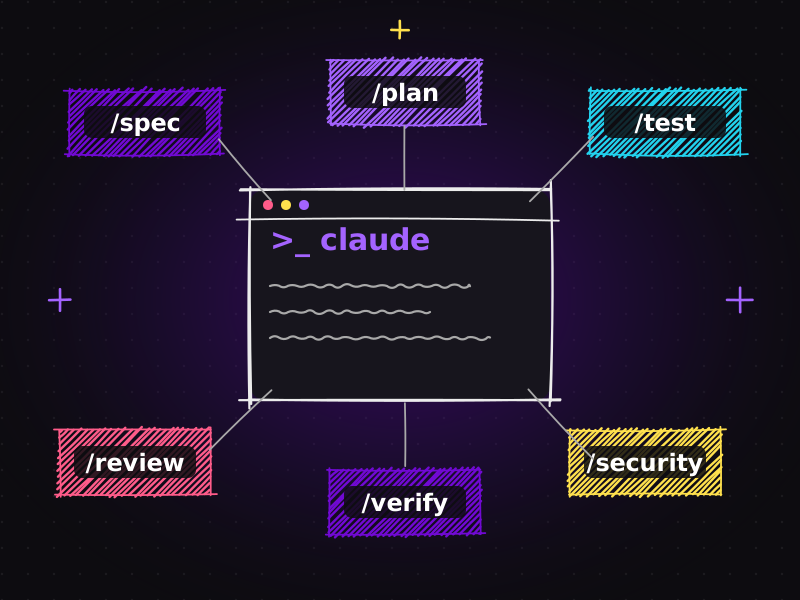
Each repository has a CLAUDE.md file with its rules: architecture, coding standards, testing commands, security requirements and conventions. When I return to a session, Claude is already working within that project's rules instead of guessing. I explain this in detail in Claude Code plugins: turn one AI assistant into an AI engineering team.
Write tasks as clear specifications
Parallel work amplifies vague instructions. A short spec with scope and acceptance criteria lets an agent work independently for longer and come back with something reviewable.
Use Git properly and isolate work
Every task happens on its own branch. For bigger efforts, Git worktrees let separate sessions work on separate copies of a repository without stepping on each other's files. Commits are small and descriptive, so reviewing and rolling back is easy.
Automate verification
Tests, linting, type checks and builds run as part of the workflow. A session isn't ready for my review until it's green. This keeps my review time focused on behaviour and design rather than catching broken builds.
Batch your reviews at checkpoints
I don't jump between sessions every thirty seconds. I check in when a session reaches a checkpoint: plan ready, implementation done, verification complete. That keeps context switching deliberate and cheap.
Keep the number of sessions realistic
The limit isn't the tool. It's your ability to review well. For me, a handful of active sessions is the sweet spot. Beyond that, review quality drops, and review quality is the whole point.
A typical parallel day
To make this concrete, here's how a morning might look:
- 09:00 · Plan. I write three short specs: a WooCommerce shipping rule change, a performance fix on a client site, and a new blog template.
- 09:20 · Launch. Three Claude sessions start, one per project, each with its own repository and rules.
- 09:40 · First checkpoint. Session one has a plan ready. I review it, adjust one assumption, approve.
- 10:10 · Verification. Session two has implemented the performance fix and is running tests and a build. Meanwhile I review session three's template in the browser.
- 10:40 · Review and iterate. Session one is done and green. I review the diff, test the checkout flow, and ask for a small change.
- 11:15 · Next tasks. Two projects are ready to ship; I queue the next tasks and start again.
Three projects moved meaningfully forward in one morning, and my time was spent almost entirely on planning, review and decisions.
Common pitfalls (and how to avoid them)
Parallel AI development is powerful, but it has its own failure modes. These are the ones I watch for:
| Too many half-finished sessions | Starting work is easy; finishing it needs review. If several sessions are waiting on you, stop launching new ones until the queue is clear. |
|---|---|
| Shallow reviews | When several projects finish at once, it's tempting to skim. Don't. A rushed approval undoes all the benefit of structured work. Review fewer things, properly. |
| Shared files and conflicts | Two sessions editing the same repository and the same files will collide. Use separate branches or Git worktrees, and avoid overlapping tasks in one codebase. |
| Mixing client context | Keep each project's rules, credentials and data strictly inside that project's session. Separation is a feature, not a limitation. |
| Vague task definitions | An unclear task in one session means repeated interruptions, which defeats the purpose of working in parallel. Spend the extra two minutes on the spec. |
| Ignoring cost and limits | Running several long sessions uses more of your plan's capacity. Prioritise the tasks where parallel work genuinely saves time. |
How to measure whether it's working
It's easy to feel productive with several terminals running. To know whether parallel sessions actually help, track a few simple signals for a couple of weeks:
| Lead time per task | From writing the spec to merging the change. It should drop. |
|---|---|
| Review quality | How many issues are found after merge. It should stay the same or fall, not rise. |
| Waiting time | How often you find yourself watching a terminal with nothing else to do. It should approach zero. |
| Rework rate | How often a task goes back for major changes. Better specs should push this down. |
If lead time falls but post-merge issues rise, you're running too many sessions or reviewing too quickly. Scale back until quality recovers.
The question is changing
For a while, the big debate was "Can AI code?" That question has largely been answered: yes, often very well, given good context and good process.
The more interesting question now is:
How many development workflows can one developer effectively orchestrate at the same time?
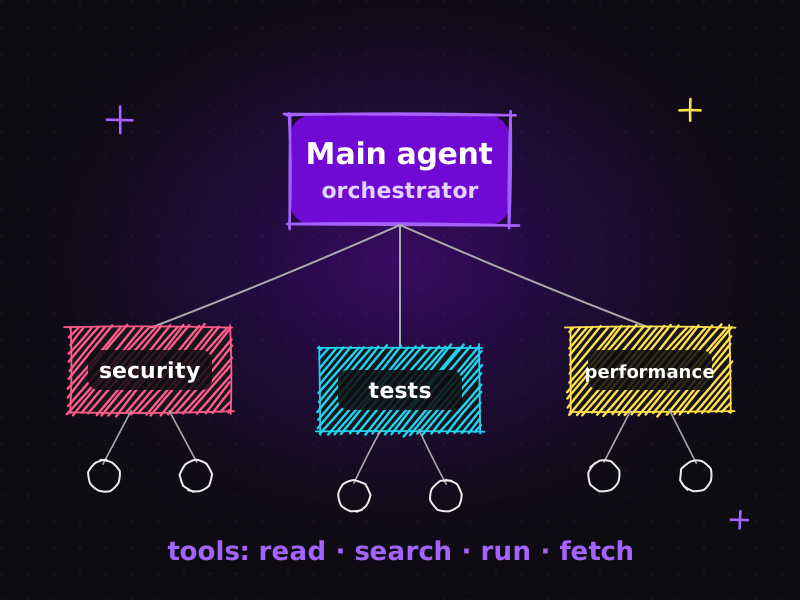
The answer depends less on the AI and more on the human system around it: specifications, rules files, Git discipline, automated verification and thoughtful review. I'm still exploring how far this can be pushed, especially combined with structured project instructions, automated testing and multi-agent setups. If you're new to those concepts, start with AI agents explained: main agent, sub-agents, tools and workflows, and for connecting tasks directly to your project tracker, see from Jira issue to working feature with MCP.
What this means for clients
If you hire me for a website or SEO project, this workflow is part of why I can deliver quickly without cutting corners. Work progresses in parallel, but every change is specified, tested, verified and reviewed by a human before it reaches your live site. You can browse the results in my portfolio or read more about how I work.
Frequently asked questions
Can I run multiple Claude projects at the same time?
Yes. With a workspace tool such as Abralo, you can run several independent Claude sessions side by side, each with its own files, conversation context and terminal activity, so different projects never mix their instructions.
Is running parallel AI sessions the same as multitasking?
No. The agents execute in parallel, but the developer works sequentially, moving between projects at natural checkpoints such as plan approval, finished tests or completed reviews. The benefit is less waiting and less context switching, not divided attention.
How many Claude sessions should one developer run?
As many as you can review properly. For most developers a handful of active sessions is the sweet spot. Beyond that, review quality drops, and careful human review is what keeps AI-assisted work reliable.
What do I need to make parallel AI development reliable?
Persistent project instructions such as CLAUDE.md, clear task specifications, Git branches or worktrees to isolate work, automated verification with tests, linting and builds, and scheduled human review at checkpoints.
Who benefits most from this workflow?
Freelancers, agencies and teams managing multiple websites, WooCommerce stores, SaaS products or client projects benefit most, because many independent tasks can progress at the same time without hiring a larger team.
Have several projects waiting for attention? Get in touch and let's plan how to move them forward, or check my packages and pricing.

Muhammad Faisal
WordPress developer & SEO expert with 8+ years of experience, now building AI-assisted development workflows with Claude Code, MCP and coding agents. More about me.